Properties
The Properties panel displays the properties of selected objects. The panel reacts to object selections made either in the 3D Viewer or in the Project Tree.
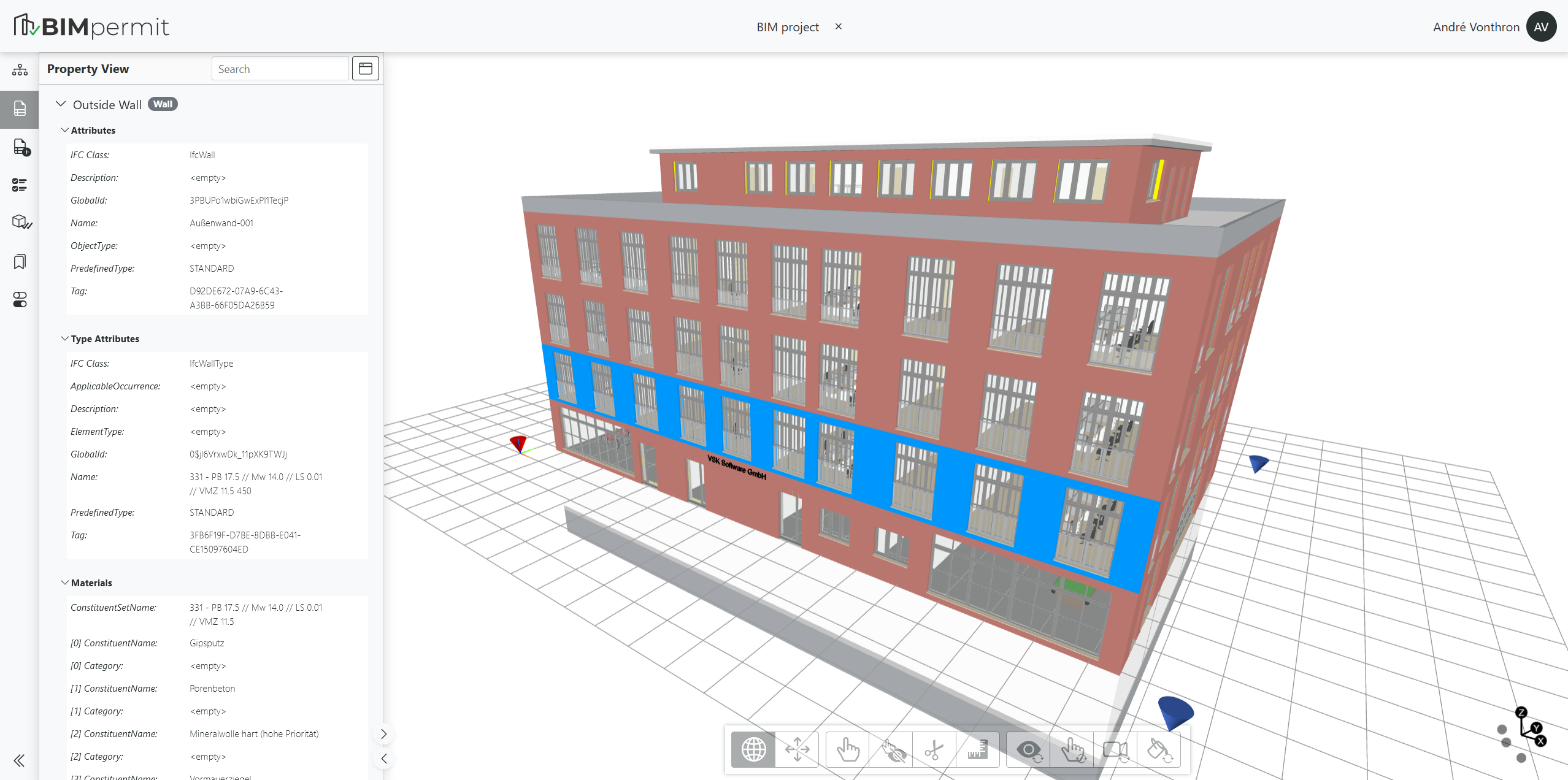
Property Categories
Different categories of object information are displayed:
- Attributes: Predefined parameters that always exist according to the IFC data schema, such as the object's ID or Name.
- Type Attributes: Parameters linked to the object through its assigned object type.
- Materials: Information about the materials assigned to the object.
- Classification: Displays information about IFC classifications assigned to the object.
- Properties: Properties assigned through Property Sets or Quantity Sets. These may originate from recommended IFC property sets or from custom-defined property sets.
The different categories can be expanded and collapsed.
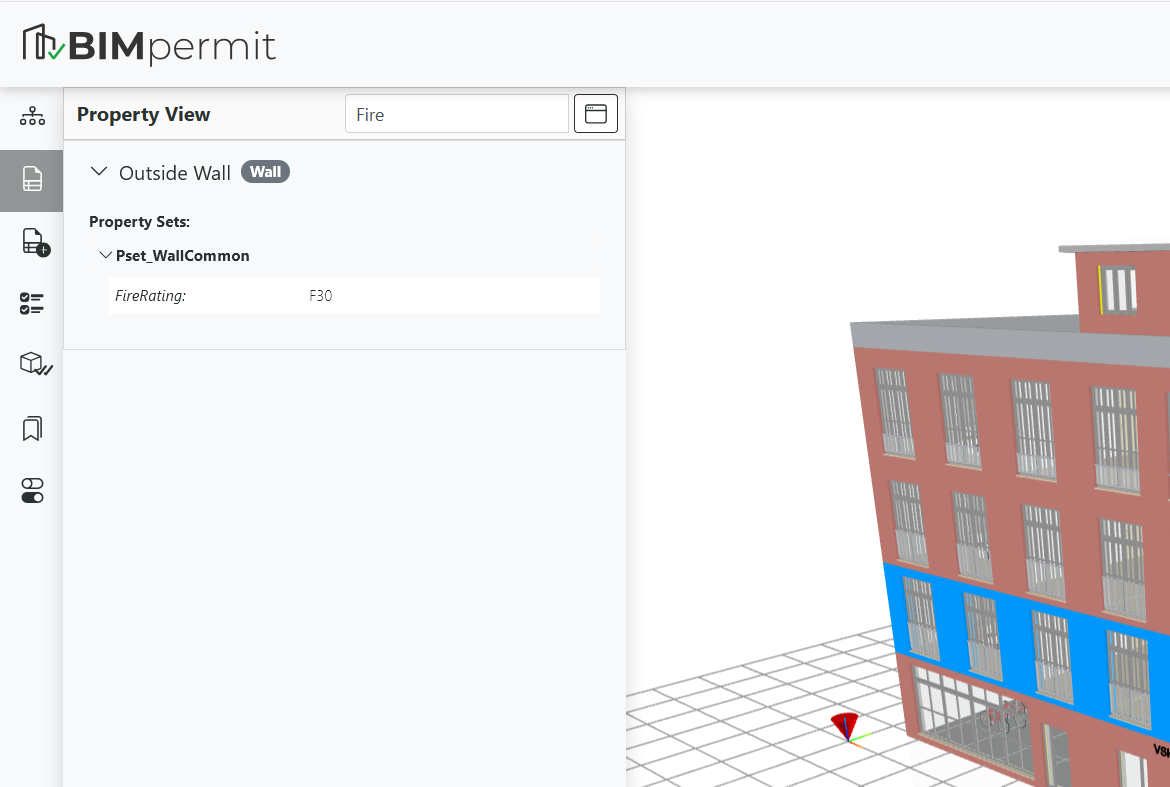
Search Function
The search field in the header allows filtering by property group names, property names, or property values. A filtered view is displayed based on the entered search term.
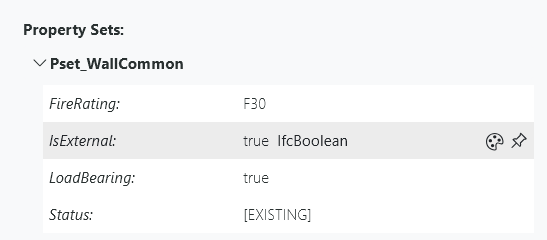
Displaying Data Types
If the data type is required, for example when creating formal validation rules, it can be displayed by hovering over a property value with the mouse and pinned by clicking on it.
Detaching the Properties Panel
To enable a side-by-side view, the Properties panel can be detached by clicking the window icon in the header. The panel is then displayed in a separate movable window.
When the detached window is closed, the Properties panel is automatically embedded back into the main application window.

Creating a Color Scheme
Property values can be visualized using colors directly in the 3D Viewer.
To do so, hover over a property value and click the color palette icon. All objects of the same IFC class are then colored according to their property values using automatically generated colors.
Additionally, a legend is displayed in the upper-right corner of the Viewer.
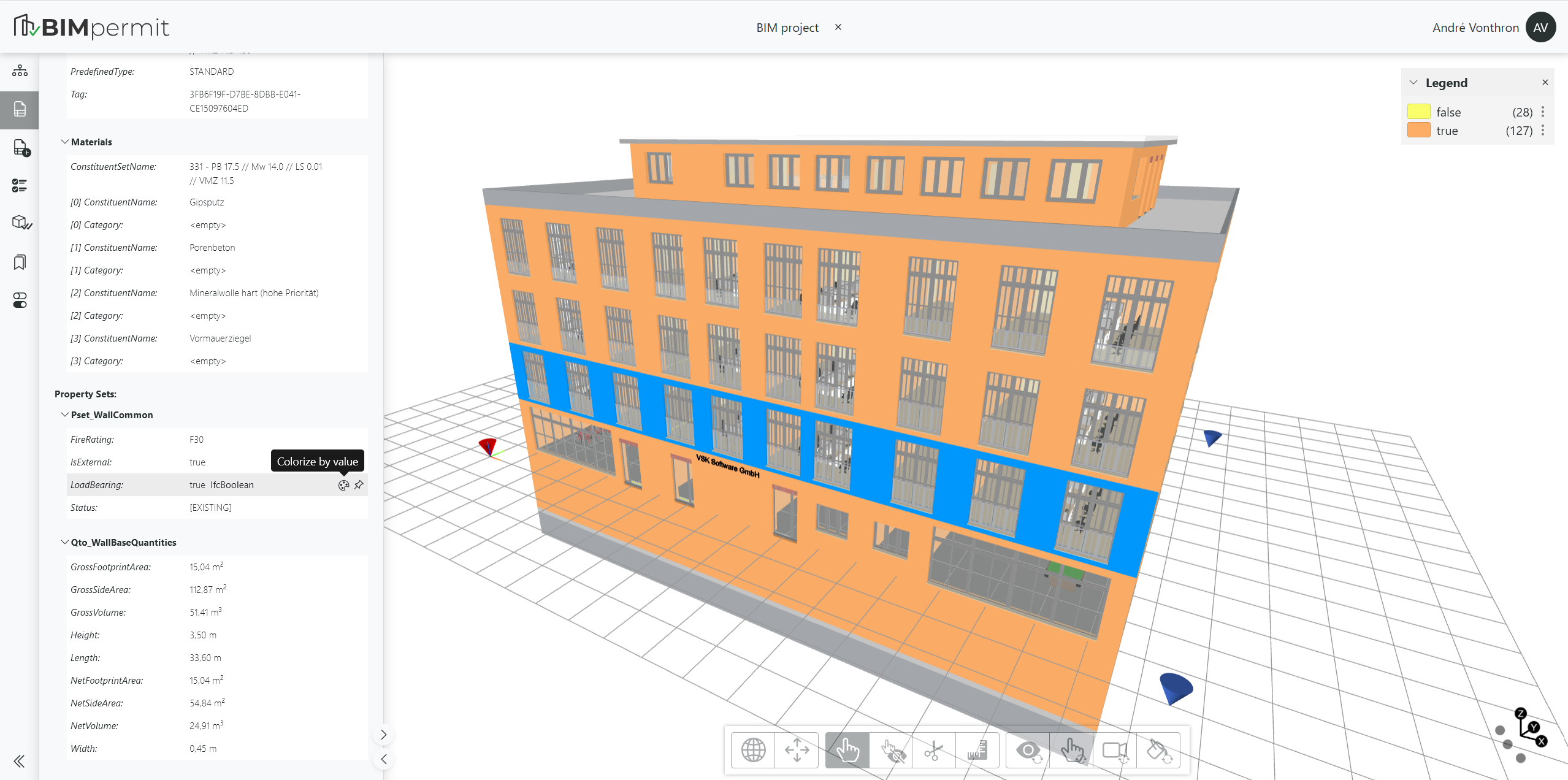
The legend also shows the number of objects represented by each color. Using the context menu, the visibility and selection state of the corresponding objects can be adjusted.